Follow Us :


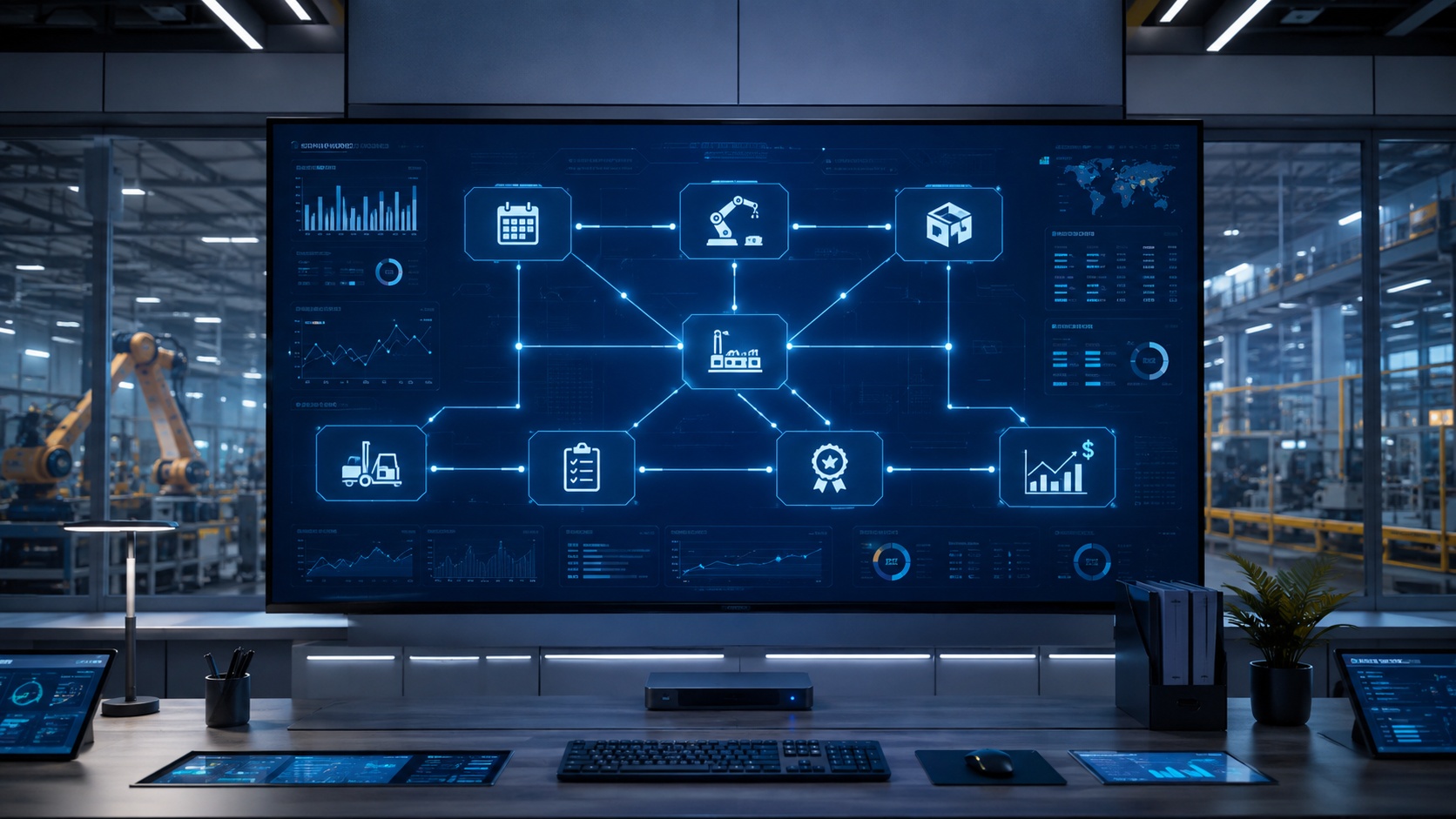
Manufacturing runs on coordination. Raw materials arrive. Machines run. Orders ship. Finance reconciles. When these functions operate in separate systems, disconnects multiply. Data gets re-entered. Inventory counts drift. Production schedules collide with reality.
A manufacturing ERP system solves this by connecting production, inventory, procurement, sales, and finance through one shared platform. ERP stands for enterprise resource planning, and the "planning" part is the point. The system coordinates the materials, machines, money, and people required to build a product and deliver it on time.
But there is no universally "best" ERP. The right choice depends on your manufacturing model, company size, process complexity, regulatory requirements, and existing technology stack. This guide covers what separates a manufacturing ERP from generic business software, which capabilities actually drive results, how to evaluate vendors without getting buried in feature lists, and what a realistic implementation looks like.
Key takeaways:
An ERP system is a software platform that unifies core business functions into one shared database. In a manufacturing environment, that means production planning, inventory control, purchasing, quality management, and financial accounting all operate from the same data.
Generic ERP handles the basics well: accounting, order management, CRM, reporting. A manufacturing ERP system goes further. It adds the capabilities a factory actually needs: bill of materials (BOM) management, material requirements planning (MRP), production scheduling, shop floor control, and quality workflows. These are not optional add-ons. They are the reason manufacturers need specialized software rather than off-the-shelf business tools.
The simplest way to understand it: when a customer order enters the system, a manufacturing ERP checks raw material availability, updates the production schedule, generates purchase requisitions for missing components, reserves inventory, and feeds the cost data into finance. No one re-keys anything. That real-time data flow is the core value.
Here is how a single transaction moves through a manufacturing ERP:
Customer order → Master Production Schedule → MRP → Procurement → Production → Quality → Inventory → Shipping → Finance
Every step updates the same database. Every department sees the same information.
Standard ERP platforms serve a wide range of businesses. They handle financials, HR, and customer relationship management effectively. But they were not built for production environments, and that gap creates real operational problems when manufacturers try to force-fit them.
The differences are structural:
CapabilityStandard ERPManufacturing ERPBill of materialsBasic or absentMulti-level BOMs with revisions, substitutes, and effectivity datesProduction planningManual or externalIntegrated MPS, MRP, and capacity planningShop floor executionNot supportedReal-time labor, material, and production trackingQuality managementBolt-on or third partyBuilt-in inspections, holds, nonconformance workflows, traceabilityCostingGeneral ledger onlyStandard vs. actual variance, job costing, product-line profitabilityInventoryStock levels and locationsLot/batch tracking, WIP accounting, multiple warehouses, cycle counting
A generic ERP platform treats manufacturing as one module among many. A manufacturing ERP treats production as the center of gravity, with everything else organized around it.
One of the most common points of confusion is where ERP stops and other manufacturing systems begin. The Reddit threads that rank for this topic hammer on this constantly, and for good reason. Buying the wrong system because you misunderstood the boundaries is an expensive mistake.
SystemPrimary PurposeMain UsersCore Question It AnswersERPEnterprise-wide operational and financial coordinationLeadership, finance, operationsWhat is happening across the business?MRPMaterials and production planningPlanners, procurementWhat materials do we need, and when?MESShop floor execution and real-time production monitoringSupervisors, operatorsWhat is happening in production right now?PLMProduct design and engineering data managementEngineeringWhat are we building, and which revision?WMSWarehouse movement and fulfillmentWarehouse teamsWhere is inventory, and how should it move?QMSQuality processes and documentationQuality teamsDoes the product and process meet requirements?
The important distinction: MRP is typically included inside a manufacturing ERP system. MES, PLM, WMS, and QMS may run as separate systems that integrate with the ERP, or they may be modules within the ERP depending on the vendor and your requirements. Not every manufacturer needs all of these. A 50-person job shop has very different system needs than a 2,000-person food processing plant.
Feature lists from ERP vendors can run hundreds of items long. Most of that noise does not help you make a decision. These are the capabilities that separate useful manufacturing ERP software from generic business tools.
This is where manufacturing ERP earns its keep. The system translates demand forecasts and customer orders into production schedules, calculates material requirements, sequences work orders, and balances capacity across work centers. Without this, your planners are doing the same calculations in spreadsheets, and those spreadsheets break the moment anything changes.
Multi-level bill of materials management is the backbone of any manufacturing ERP. The system tracks every component, sub-assembly, and raw material needed to produce a finished product. It handles engineering change orders, substitute materials, multiple BOM versions with effectivity dates, and work center routings. Process manufacturers need recipe and formula management with batch controls and potency tracking.
Material requirements planning automates the calculations that determine what to buy, how much, and when. The ERP analyzes BOM structures, current inventory levels, open purchase orders, production schedules, and lead times to generate purchase recommendations. This automation prevents both stockouts that halt production and excess inventory that ties up working capital.
Workers scan barcodes or use tablets to record labor hours, material consumption, production output, and quality checks. This data feeds back into the ERP in real time, updating inventory, triggering the next production step, and providing the performance metrics managers need. If your ERP cannot capture data from the shop floor, you are running blind between planning and results.
Manufacturing ERP tracks inspections, quality holds, nonconformance workflows, and audit trails. For lot-controlled or serialized products, the system provides full forward and backward traceability. When a quality issue arises or a recall is necessary, you can identify affected products in minutes rather than days. This capability is non-negotiable for manufacturers in regulated industries like food production, medical devices, and aerospace.
Beyond simple stock counts, manufacturing ERP manages raw materials, work-in-progress, and finished goods across multiple warehouses. It handles lot and batch tracking, serial number management, cycle counting, and automated replenishment. Accurate inventory is the foundation everything else depends on.
Standard accounting software tracks revenue and expenses. Manufacturing ERP tracks costs through every production stage. You get standard vs. actual cost variance, job and product costing, labor and overhead allocation, and profitability analysis by product line, customer, or order. This is how you find out which products are actually making money.
Not all manufacturing is the same. A custom machine shop operates nothing like a food processing plant. The manufacturing ERP you select must match how you actually produce goods.
Manufacturing ModelWhat the ERP Must HandleDiscreteMulti-level BOMs, serial tracking, engineering revisions, routingsProcessFormulas, batch control, potency, shelf life, lot traceabilityMixed-modeBoth discrete and process workflows in one systemJob shopQuoting, job costing, flexible scheduling, labor trackingMake-to-stockForecasting, MPS, inventory optimization, replenishmentMake-to-orderDemand-driven planning, configurable lead times, job costingEngineer-to-orderPLM/CAD integration, revision control, project costingRepetitiveRate-based scheduling, production line reportingContract manufacturingCustomer-owned materials, compliance documentation, margin-by-customer
The fit between your manufacturing model and the ERP's native capabilities matters more than the vendor's brand or the length of their feature list. An ERP built for discrete manufacturers will fight you every day if you run a process operation.
Not every manufacturer is ready for an ERP implementation. But some warning signs are hard to ignore.
You probably need a manufacturing ERP if:
You may not be ready for an ERP if:
An ERP implementation amplifies whatever you bring into it. Clean processes and good data produce fast results. Messy processes and bad data produce an expensive mess with a login screen.
The honest answer: best for whom?
Any article that names a single "best" manufacturing ERP without asking about your size, industry, production model, and budget is selling something. Here is a more useful breakdown.
ERP SystemBest FitManufacturing DepthDeploymentSAP Business OneGrowing SMBs replacing disconnected toolsStrong (BOMs, MRP, production orders, quality)Cloud, on-premises, hybridSAP S/4HANALarge enterprises, complex global operationsDeepCloud, on-premisesMicrosoft Dynamics 365 Business CentralSMBs in the Microsoft ecosystemModerate to strongCloudOracle NetSuiteCloud-first mid-market companiesModerateCloudEpicor KineticMid-market discrete and mixed-mode manufacturersDeepCloud, on-premisesInfor CloudSuite Industrial (SyteLine)Mid-market discrete and mixed-modeDeepCloudIFS CloudAsset-intensive and complex manufacturersDeepCloudAcumaticaGrowing SMBs wanting flexible licensingModerate to strongCloudOdooSmall manufacturers with limited budgetsBasic to moderateCloud, on-premises
Compare these against your actual requirements, not against each other in the abstract. A system that fits a 40-person job shop will buckle under a multi-plant operation, and an enterprise platform will overwhelm a small team that just needs to get off spreadsheets.
SAP Business One is SAP's ERP built for small and midsize companies. It carries the SAP platform's reliability but is sized and priced for businesses that are not running global operations with thousands of users.
Strong fit:
When you may need something different:
Being candid about where SAP Business One fits and where it does not makes the recommendation more useful than pretending it solves everything.
Start with the operational pain. "Better visibility" is not specific enough. "Reduce inventory carrying costs by 20% while improving on-time delivery to 95%" gives you something measurable. Document current pain points, quantify their business impact, and prioritize.
Walk your major workflows from quote through cash. Identify where manual handoffs, re-keying, and information gaps create delays and errors. These are the processes your manufacturing ERP must handle natively.
Create a requirements matrix. Score each ERP system against your mandatory capabilities. Features you do not need should not influence the decision, no matter how impressive they look in a demo.
Use the fit matrix above. Eliminate any ERP that does not natively support your production methodology. Do not accept promises that customization will close the gap.
Bring your actual BOMs, production scenarios, and reporting needs. Make each vendor show you how their system handles your real workflows, not their polished demo script.
Ask each vendor to demonstrate:
If a vendor cannot do these live, that tells you something important.
The partner who configures and deploys your manufacturing ERP matters as much as the software. Look for manufacturing-specific experience, references from companies similar to yours, and a realistic project plan.
Software licensing is only part of the picture. Include implementation services, data migration, integrations, training, ongoing support, and internal staff time. The cheapest license can produce the most expensive project if the implementation goes sideways.
FactorCloud ERPOn-Premises ERPHybridUpfront costLower (subscription)Higher (licenses + infrastructure)MixedIT burdenVendor-managedInternal IT requiredSplitScalabilityAdd subscriptionsHardware expansionFlexibleCustomization depthModerateExtensiveVariesData controlVendor-hostedFull internal controlSplitUpdate responsibilityAutomatic (vendor)Internal ITSplitSpeed to deployFasterSlowerModerate
For most small and midsize manufacturers choosing a new ERP system, cloud-based deployment is the practical starting point. It reduces upfront capital expenditure, eliminates server maintenance, and speeds up implementation. On-premises ERP still makes sense for manufacturers with strict data residency requirements or deep customization needs. Hybrid models blend both approaches for companies in transition.
ERP pricing varies dramatically and any article quoting specific numbers without knowing your situation is guessing. But you can build a useful framework for your total cost of ownership.
Five-year TCO = software + implementation + integrations + internal labor + support + upgrades - retired system costs
The components:
The uncomfortable realities that most vendor pages do not mention:
Central point: even excellent manufacturing ERP software produces poor results when the implementation, data quality, and user adoption are weak.
Manufacturing is not evenly distributed. Different regions concentrate different types of production, and manufacturers in these hubs face distinct competitive pressures that shape their ERP requirements.
The automotive and heavy manufacturing corridor running through Detroit, Indianapolis, Cleveland, and Birmingham demands ERP systems with strong discrete manufacturing capabilities, deep BOM management, and supply chain coordination across multi-tier supplier networks.
Aerospace and defense manufacturing concentrated around Wichita, Mesa, and Fort Worth requires rigorous compliance tracking, serialized lot traceability, and quality management workflows that satisfy federal and industry-specific regulations.
Food and beverage manufacturing hubs in Milwaukee, Chicago, and Houston need process manufacturing ERP with batch management, formula control, shelf-life tracking, and FDA compliance capabilities.
Distribution and logistics centers tied to manufacturing operations in Memphis, Louisville, Dallas, and Columbus require tight ERP integration between production planning and warehouse management to keep finished goods moving efficiently.
Electronics and technology manufacturing in San Jose, Austin, and Phoenix leans on configure-to-order and engineer-to-order ERP workflows with revision control and rapid product lifecycle management.
Growing manufacturers in Charlotte, Nashville, San Antonio, and Tampa often represent the sweet spot for ERP adoption: companies scaling past the point where spreadsheets and disconnected tools can keep up, but not yet large enough for enterprise-class platforms. This is exactly the segment where solutions like SAP Business One deliver the most value.
Regardless of geography, the selection criteria remain the same. Match the ERP to your manufacturing model, your growth trajectory, and the operational problems you are solving today.
What is ERP used for in manufacturing?A manufacturing ERP system coordinates production planning, inventory management, procurement, quality control, shop floor execution, and financial accounting through one shared database. It eliminates the data silos and manual re-entry that slow down operations when these functions run in separate systems.
What is the best ERP system for manufacturing?There is no single best. The right ERP depends on your manufacturing model (discrete, process, mixed-mode), company size, regulatory requirements, and budget. SAP Business One, Epicor Kinetic, Infor CloudSuite Industrial, Microsoft Dynamics 365, and Oracle NetSuite are common shortlist names, each serving different segments.
What are the four types of ERP?ERP systems are commonly categorized by deployment: cloud-based ERP (hosted by the vendor), on-premises ERP (installed on your servers), hybrid ERP (a combination), and two-tier ERP (enterprise platform at headquarters with a lighter system at smaller sites). The right deployment depends on your IT resources, budget, and data control requirements.
How does manufacturing ERP differ from generic ERP?Generic ERP handles standard business functions like accounting and CRM. Manufacturing ERP adds production-specific capabilities: bill of materials management, MRP, production scheduling, shop floor control, quality management, and manufacturing cost accounting. These are not optional extras for a manufacturer. They are the reason specialized software exists.
Can small manufacturers benefit from ERP?Yes. Small manufacturers often see the largest relative improvement because they are replacing manual processes and disconnected tools. The key is choosing an ERP system sized for your operation. Solutions like SAP Business One and Acumatica are built specifically for small and midsize manufacturing companies.
How long does a manufacturing ERP implementation take?It varies by complexity. A small manufacturer with straightforward processes can go live in a few months. A larger operation with extensive integrations and customization may need 12-18 months. The approach matters more than the calendar. Clean data, clear goals, and a strong implementation partner compress the timeline more than anything else.
How much does manufacturing ERP software cost?Total cost depends on the number of users, deployment model, implementation complexity, and required integrations. Cloud ERP carries monthly per-user subscriptions. On-premises ERP requires perpetual licenses plus maintenance. Implementation services typically represent the largest portion of total investment.
Manufacturing ERP is not a technology purchase. It is an operational decision that reshapes how your company plans production, manages inventory, tracks quality, and reports financial results. The software matters. The implementation matters more. And the clarity of your requirements before you talk to a single vendor matters most of all.
If you are running a manufacturing operation on disconnected systems and spreadsheets, the cost of staying put compounds every month in rework, excess inventory, missed shipments, and margin erosion you cannot see clearly enough to fix.
Get a Manufacturing ERP Fit Assessment
Bring Innormax one representative BOM, production workflow, or traceability requirement. Our team will identify the ERP capabilities, integrations, and implementation approach your operation actually requires.


.svg)

Lorem ipsum dolor sit amet, consectetur adipiscing elit, sed do eiusmod tempor incididunt ut labore et dolore magna aliqua. Ut enim ad minim veniam, quis nostrud exercitation ullamco laboris nisi ut aliquip ex ea commodo consequat. Duis aute irure dolor in reprehenderit in voluptate velit esse cillum dolore eu fugiat nulla pariatur.
Block quote
Ordered list
Unordered list
Bold text
Emphasis
Superscript
Subscript



%20(1).avif)
.avif)
.svg)